Welcome Home Page
The new Reach Engine home page allows you to stay up to date on all your Reach Engine activities at a glance. From this quick reference dashboard page you can interact with your recent assets and view your key workflow metrics.

Left Hand Navigation
The left hand navigation bar allows you to view different pages in the Reach Engine interface.
Asset Search
Use the asset search bar to enter any text that may be associated with boost configured custom metadata and hit return. You will then be redirected to search results in your Library Page.

Resource Panel
The resource panel on the Home page gives you the option to get to the content you’ve been working with as soon as possible
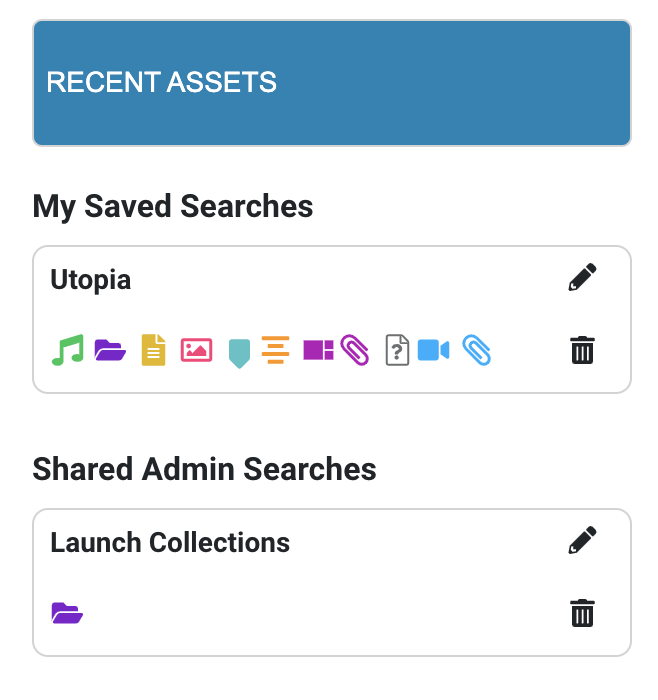
- Recent Assets are all the assets that you as a user have taken action on recently.
This view is helpful if you get interrupted by other work during the day and need to quickly pick up where you left off
- My Saved Searches assets are search results that are saved on the individual user level
This view may be helpful if you have a project that you have been working on and would like to access as soon as you log in.
- Shared Admin Searches are assets contained in searches that your Admin has set up for you and your team
This view is helpful if there are high-priority projects or assets that you have been assigned to take action on to complete your team’s assignments
From your asset overview page, you may have additional options for quick actions depending on your asset and user restrictions.
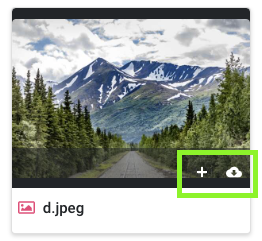
Clicking on an asset allows you to download an asset to your local storage, and add an asset to a new or existing collection. Double-click on an asset to view a single asset’s details.
Activity Panel
.png)
The activity panel located to the right of the home page gives you an overview of all the current activity in Reach Engine. This is an easy way to quickly check in on workflows you’ve recently initiated and their status
You have the option at the bottom of the activity panel to be redirected to your full Workflow status page or you can use the left-hand navigation by selecting Workflows
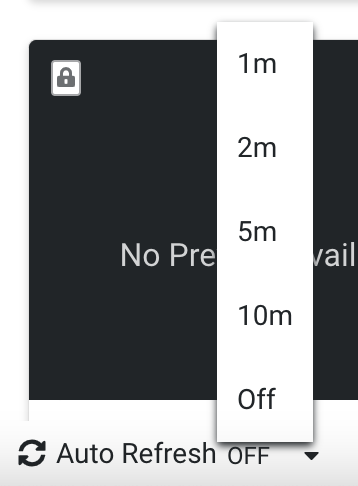
Users who are logged into Reach Engine for longer periods or need more frequent updates now have the option to change the refresh rate of the page to access the most up-to-date information. Located in the lower left of all pages you can establish a user preference refresh rate of 1,2,5, or 10 minutes.
This option may be helpful for those monitoring activities during high-volume traffic such as live events and short deadlines and can be changed at any time to suit your needs.