Workflows
⛔️ WARNING: The capabilities outlined below are for advanced Reach Engine admins. Updates can have serious consequences for your system as well as your content library. Changes should always be tested on development systems prior to implementation. Please do not attempt modifications if you are unsure of outcome. Contact support for clarification and or further assistance.
Working the workflows page allows you
- Upload and xml for new workflow
- Duplicate an existing workflow
⚠️ Note that this feature does NOT replace exporting/importing a workflow for troubleshooting or editing purposes. Duplicating a workflow creates an entirely new workflow with its own unique key and ID.
- Create a new, unique workflow from scratch
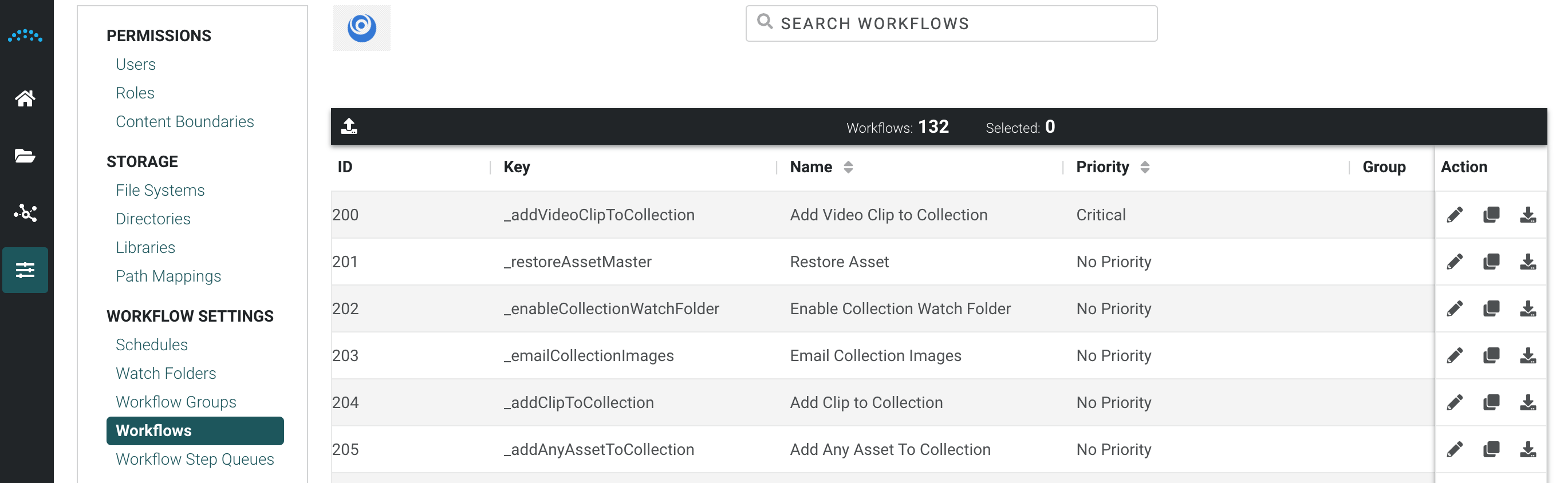
Upload a Workflow XML
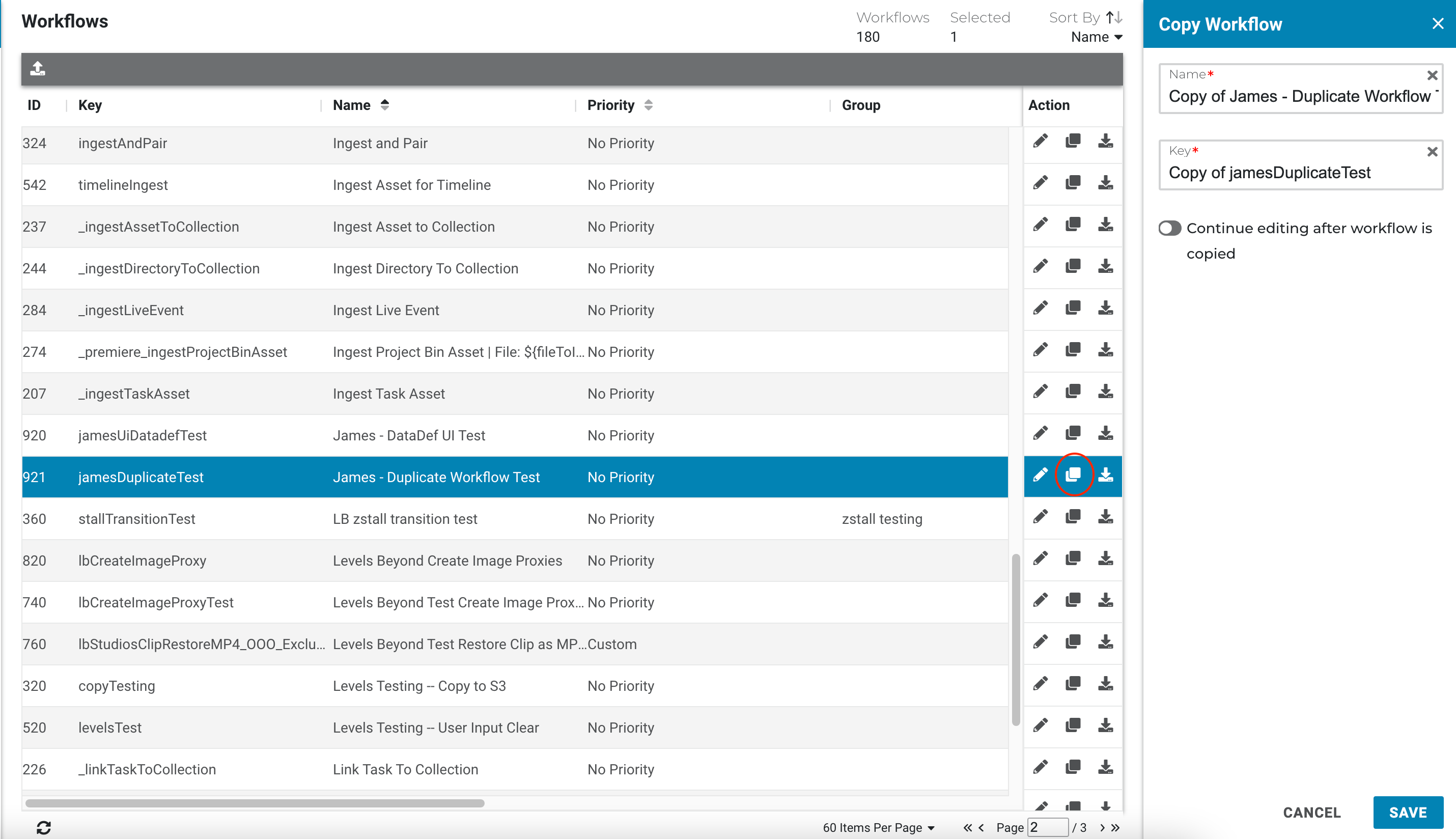
Duplicate an Existing Workflow
- Select a workflow from the list
- Choose the copy icon from the Action menu
- Choose a new name and key
- Click Save.
Edit Workflows
- Administrators can set the priority of a workflow using the Priority option selection. The scheduled workflow with the highest priority is moved from Scheduler to the Workflow Runtime first. When the Priority value is anything other than “No priority” it will utilize that setting whenever the workflow is ran. This feature lets you prioritize the most important work to help ensure those are completed first, which allows you to guarantee service level commitments, prioritize the most important or profitable work, and deprioritize non-critical work.
- Administrators can add, edit, and view workflow parameters (datadefs) without editing XML or importing/exporting the workflow manually. The new Context Data tab in the Edit Workflow panel provides a user interface for quickly modifying parameters as business needs changes. For example, you can:
- Modify metadata forms presented to users
- Change the default metadata stored on assets run through a particular ingest workflow
- Make an input field on a workflow form required
- Add or modify custom picklist values presented in a workflow modal
- Hide optional fields that are no longer relevant
Note: If either of the above is added or adjusted in the Spartan UI ensure you set the flag to true at the bottom that says: ”Keep these settings if workflow is reimported, and ignore any set in the file”
This will ensure a workflow reimport does not remove the customizations you made.
- Multiple subject workflows are supported.
- When the new workflow header attribute multiSubjectEnabled="true", the UI will submit multiple asset selections as an array to the workflow and they will all be processed by a single execution. When disabled, the UI will submit assets as multiple executions, one for each asset.
- Important: An existing workflow must be refactored to take advantage of a multi-subject workflow. The new keyword subjects is used to access subjects. However, this is not directly an array of the target DataObjects. The subjects member of an execution is actually an array of a new object type called WorkflowExecutionSubject, which contains a member, subject, which is the actual subject Data Object.
Example dataDef accepting multiple subjects:
<contextDataDef name="allTheSubjects" dataType="Data Object" multiple="true" defaultDataExpression="${subjects.![subject]}"/>
Example of sending multiple subjects to a subflow, which will result in a subflow execution for each subject:
<executeSubflowStep name="process multiple asset masters" targetWorkflowId="_processSingleAssetMaster" subjectChangePath="${workflow.subjects.![subject]}"/>
- A user interacting with a workflow File Input modal can select multiple files. Files can upload from an end user's computer, remote file system, or a combination of both. CMD/CTRL and SHIFT selection of multiple files is supported when using the local upload option. For this functionality to be enabled for the end user, the File input DataDef in the workflow must be multiple="true".
- The ExecuteSubflowStep has been updated with a new property of scheduled, which is applicable to async subflows and takes a true or false value.
- Subflows with scheduled=true will run via the scheduledSubflowProcessor, which means they will be sent to the workflow scheduler and be picked up by the most appropriate runtime.
- Subflows with scheduled=false will run via the throttledSubflowProcessor, which means they will continue to be executed on the same runtime as the parent workflow, regardless of that runtimes load.
- If value is not set on the step, then defer to the local property setting for the throttledSubflowProcessor value.
- Workflow authors can limit the instances of parallel workflow execution globally across all runtimes. Set the new workflow header scheduledExecutionLimit to a static integer to set the limit for concurrent executing workflows.
- To ensure a workflow can be run it must have the Enable Workflow must be set to active.
- To ensure a workflow is visible to be manually run from the UI, the Visible flag must be checked.
- To ensure a workflow is only visible to Admin users to be manually run from the UI, the Visible flag and Admin must be checked.
- To ensure workflow is visible via the right-click action, the Right Click flag must be checked.