Mappings
Metadata Mappings
Metadata mappings provide templates that Access users can use to map EXIF fields to metadata fields in Reach Engine.
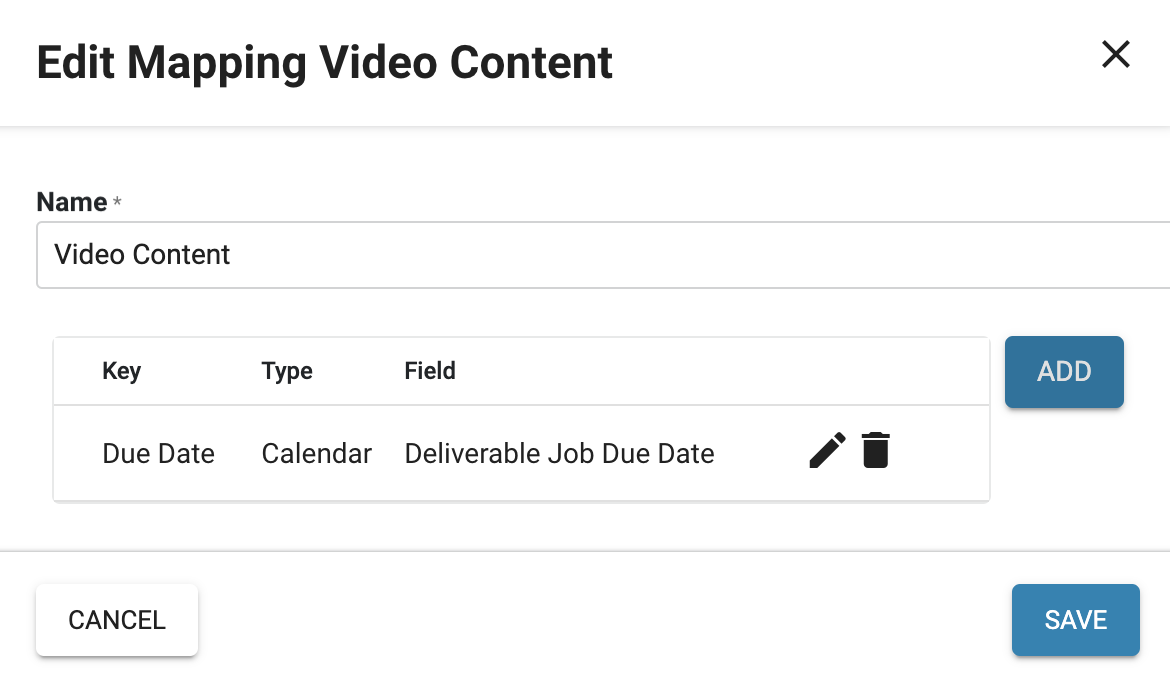
Mappings are used when you are ingesting content using json when an automation calls for sidecar data (json) the data is then mapped to your Reach Engine configured metadata fields
To view the metadata mappings available in Reach Engine,
1. Click Mappings in the left menu.
2. Click the + icon to create a new metadata mapping.
3. Name your metadata mapping.
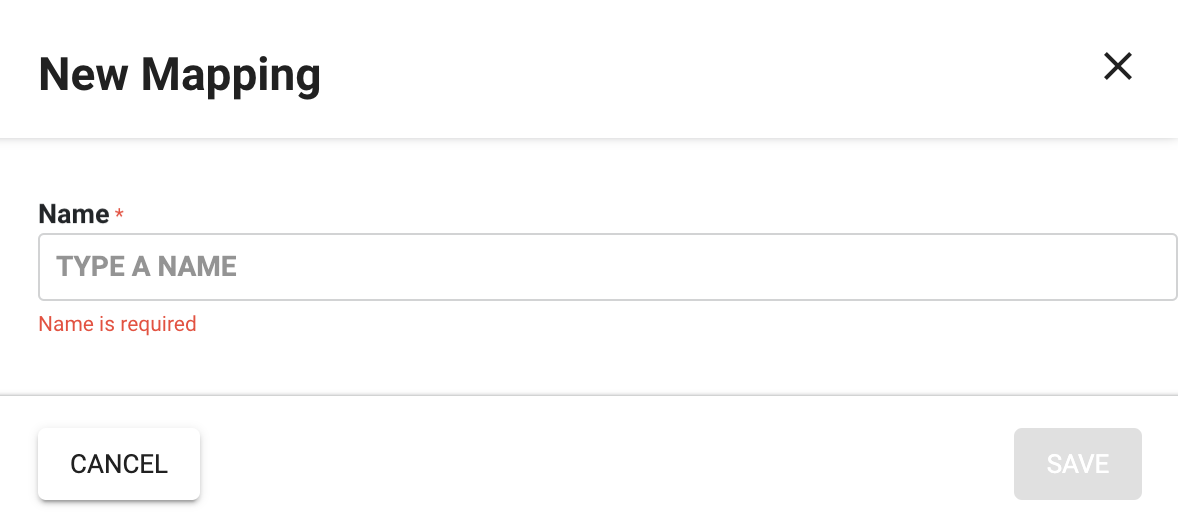
- Click Save.
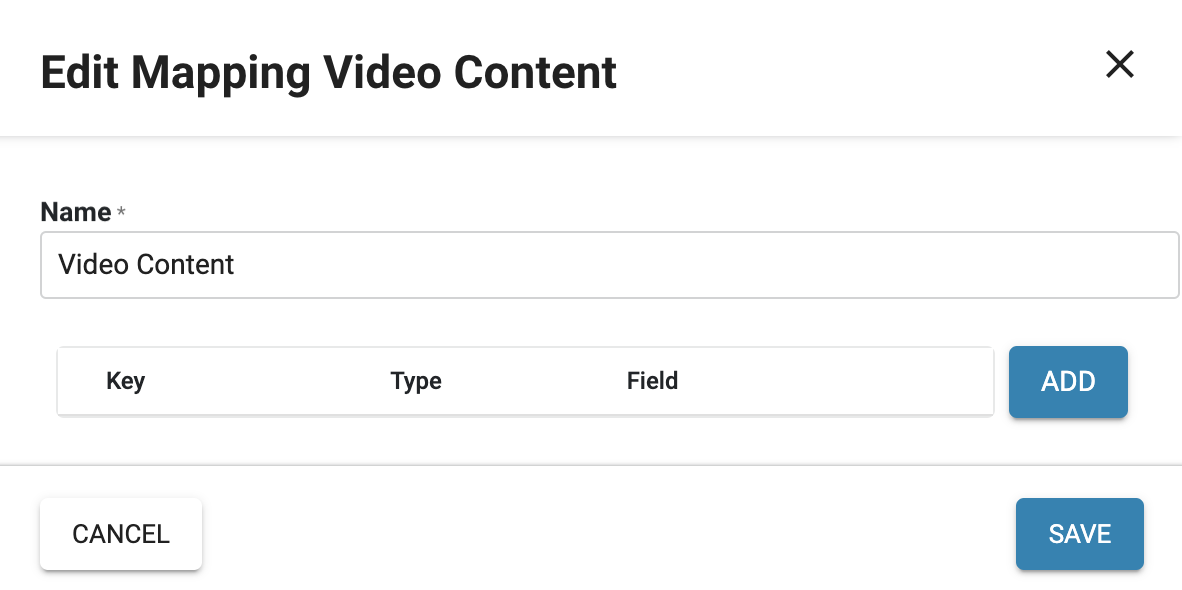
- Add your mappings by clicking the ADD button.
- Fill in the name that would present on the JSON, the type of field it is, and what Reach Engine field it will be mapped to.
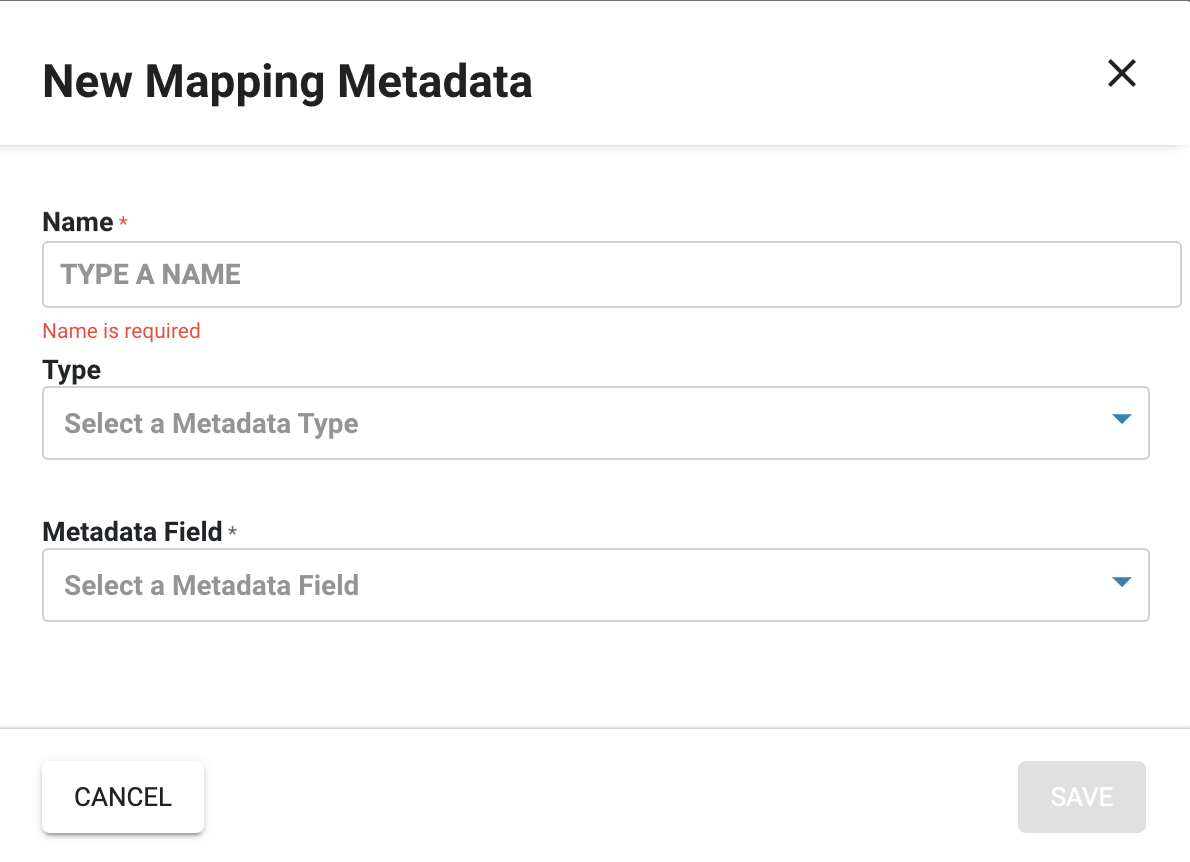
- Click Save.
Follow the same process until each desired JSON value is correctly mapped to a Reach Engine field.