Facets Page
Metadata Facets
Facets help users search and filter data within Reach Engine to more quickly get to the asset(s) they want. Admins can create facets for metadata pick-list fields and then assign that facet to a role(s). When a user logs into Reach Engine, the user is presented with the metadata fields for the facets that their role(s) have visibility to see.
Display and Search Facets
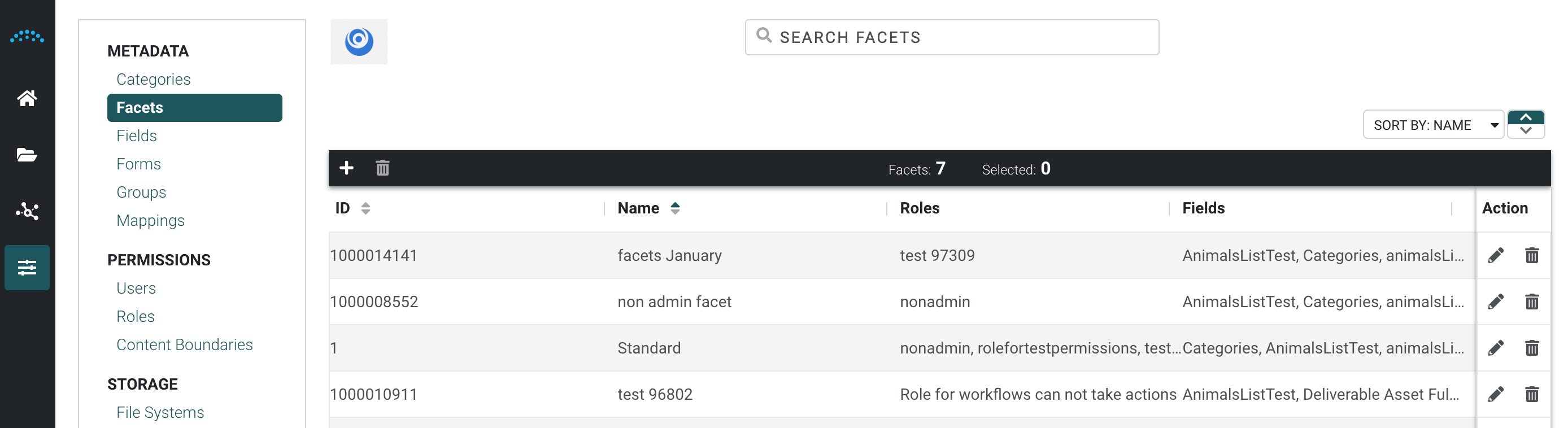
Click Facets in the left menu to display a list of existing facets.
By selecting a facet you can:
- Click the Edit icon in the Action column to edit facets.
- Click the Add icon at the top left to add new facets.
- Click the Delete icon in the Action column to remove a facet. You can multi-select (CTRL+Click or Command+Click) and click the Delete icon at the top left to delete multiple facets.
Facets are sorted alphabetically by display name.
Create a Facet
- Click Facets in the left menu, then click Facets.
- Click the Add icon at the top left to open the Create Facet panel.
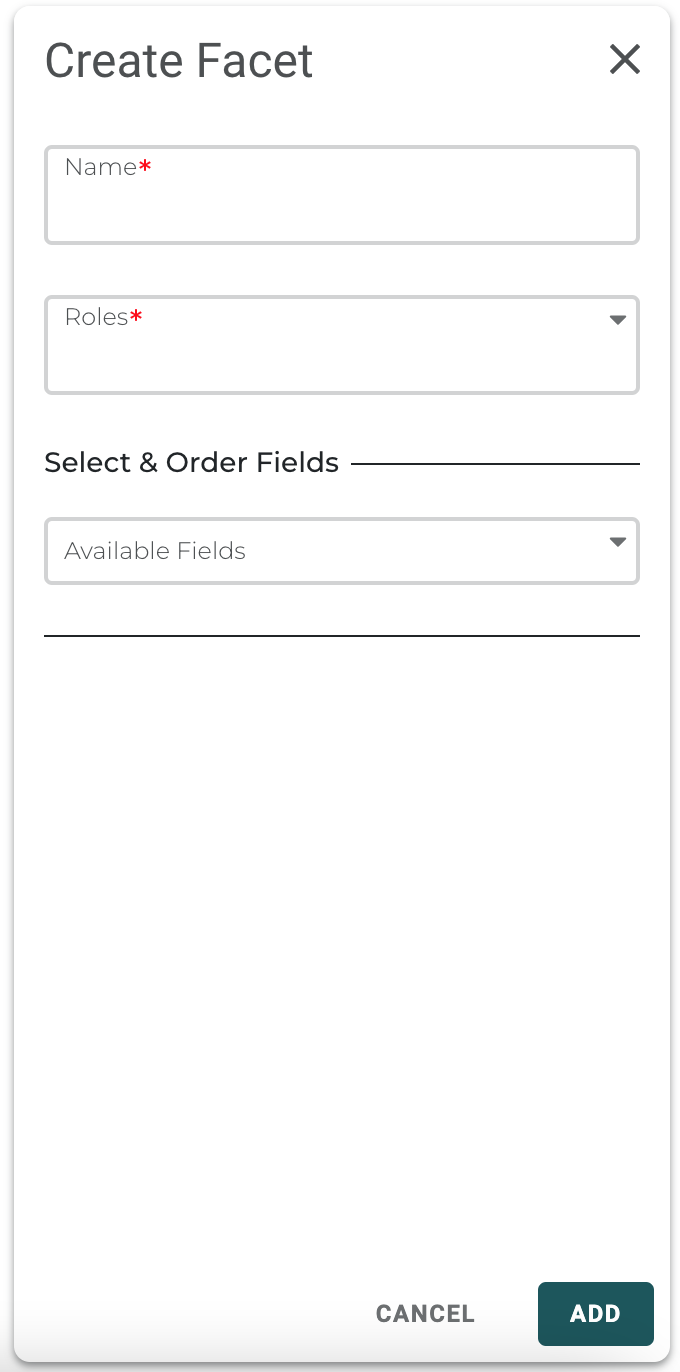
- Enter a Facet Name.
- Choose the Roles for which the Facet is applicable. You can choose more than one role.
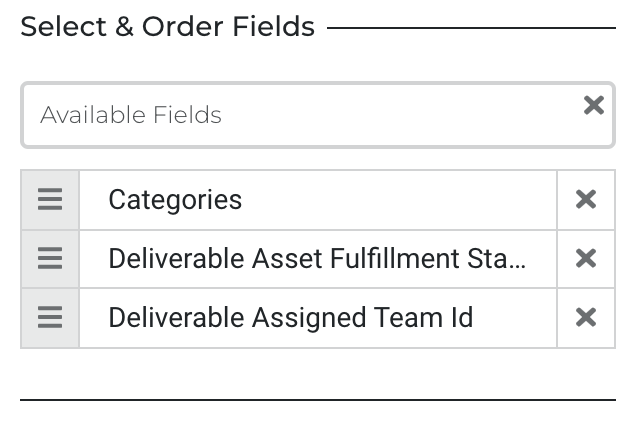
- Choose the Fields for which the Facet is applicable. You can choose multiple pick-list fields.
- Drag-and-drop the fields to define the order of the visible properties.Note: Properties within a Facet that are greyed out are not visible to all selected roles because of the role permissions.
- Click Add.